


Tests should fail only when something is actually broken, not because of where or how they run.
Being on a project that delivers and deploys every day, having a reliable automated test suite is critical. Let me paint a picture for you:
“You don’t want to wait hours for tests to run, only to discover something failed at the end. And even worse, you don’t want those failures to be inconsistent. Sometimes passing. Sometimes failing. Sometimes reproducible. Sometimes not.”
When that happens, the tests are no longer a safety net. It becomes difficult to trust them. At that point, you’re not validating your system anymore, you’re questioning your pipeline.
For a long time, our testing strategy relied heavily on UI tests. At first, it worked…until it didn’t.
But as the system grew, so did the friction.
Tests became slower and increasingly dependent on the browser. Running the full suite delayed releases. Failures required retries. Debugging became time-consuming and unpredictable. And the results? Often, test outcomes were influenced more by the environment than by the actual functionality being validated.
At the same time, the system itself added another layer of complexity.
We were working with a database-heavy architecture:
| ● | stored procedures driving core logic |
| ● | frequent changes in database behavior |
| ● | multiple versions coexisting (feature flags, backward compatibility) |
This made testing in isolation even harder. There was no real option for in-memory testing. And validating behavior through UI alone was no longer reliable.
We’d spent more time chasing down flaky failures than actually catching bugs.
We weren’t testing the system – we were fighting the environment.
A shift in perspective – taking ownership of testing
At this point, the question transformed from “how do we stabilize UI tests?” to: What if we validate behavior earlier, faster, and in isolation?
That’s where API integration tests came into play.
In this context, API integration testing didn’t mean testing endpoints in isolation. It meant validating real system behavior through an API boundary with real infrastructure, real configuration, and a fully provisioned database underneath.
In other words, not just “does the endpoint respond?” but “does the entire system behave correctly when the dependencies are known or controlled?”
This distinction mattered. Because what I was looking for wasn’t a replacement for UI tests, but a complementary layer of confidence.
And that came with more than a technical shift – it was a shift in mindset.
Adapting to the environment was something we did for a long time. We didn’t question it. Building a reliable testing environment meant taking control of everything the tests rely on – the data, dependencies, configuration, and infrastructure.
The realization
UI tests are essential. We still rely on them. But they are not enough on their own, especially at scale.
The real issue wasn’t that the tests were wrong. It was that we didn’t have control. And without control, you don’t get reliability. Reliability doesn’t mean making tests pass more often.
If anything, I’d rather investigate a test that fails unexpectedly than trust one that silently lets a bug through.
So we redefined what we needed from our tests:
| ● | each test should run in isolation |
| ● | results should be consistent |
| ● | execution should be fast |
| ● | tests should run as part of the build |
| ● | external dependencies should be minimized |
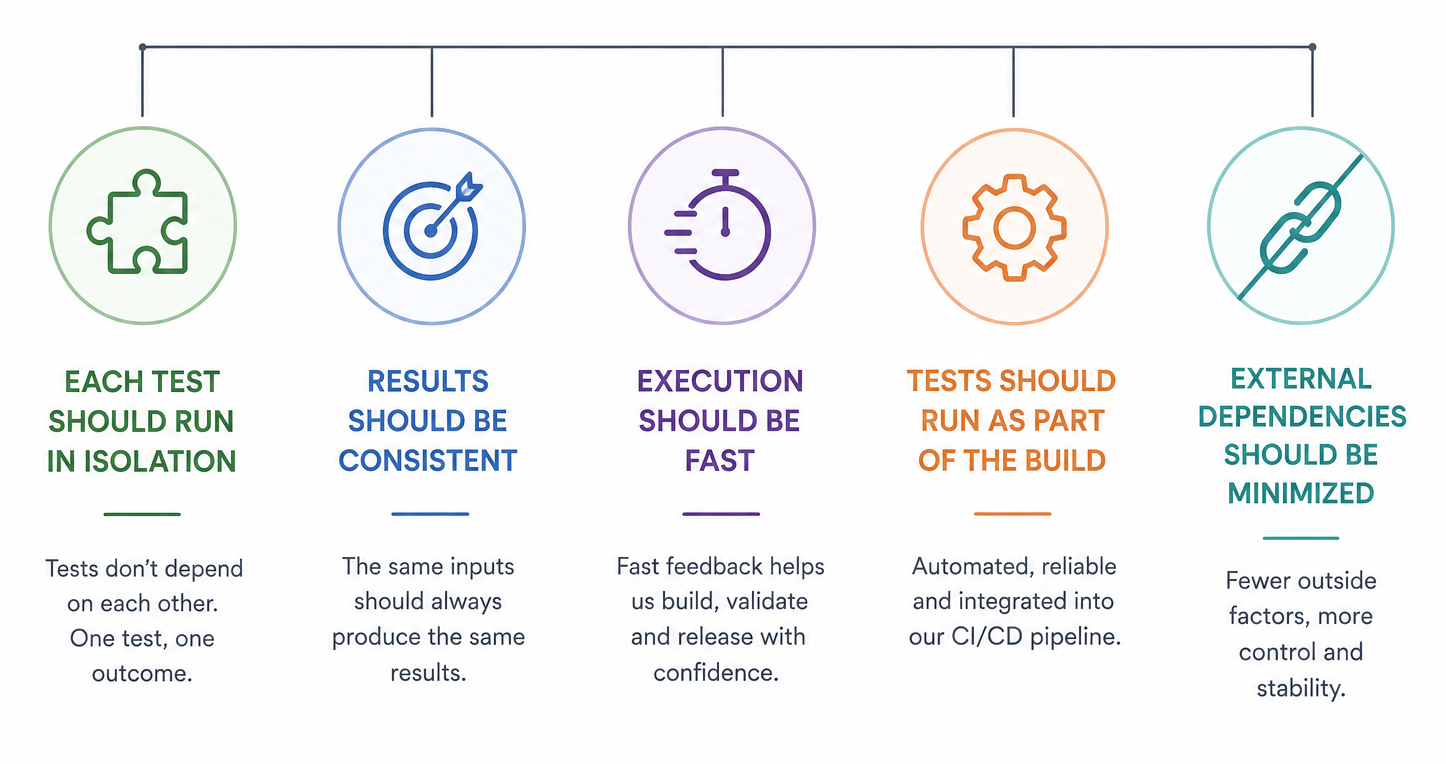
Image generated with AI
Changing how we think about test environments
The solution wasn’t tied to a specific tool or technology.
It was based on a simple principle: Tests should run in a controlled, reproducible environment.
To achieve that, we introduced two approaches:
01
a fully isolated environment
(container per run)
02
a controlled, known server setup
Different strategies, same goal:
| ● | explicit database state |
| ● | injected configuration |
| ● | predictable execution |
Reality check
This kind of setup doesn’t come for free, it requires more intention and more ownership.
Test data has to be created explicitly. Database behavior needs to be understood. Initial setup takes time. And yes, it pushes QA toward a more technical space. But in a system this complex, that level needed to be raised anyway.
Challenges?
They were there, of course! Moments of hesitation also occurred. Working with legacy setups, existing tests, and shared environments creates a certain level of comfort. Instead of fixing the problems, you learn to work around them.
In other words, changing that means opening up things that were previously off-limits.
And that’s not always easy – technically or mentally.
What actually changed
Once we controlled the environment, the results stopped surprising us.
| From unstable environments → to predictable systems |
| Shared state → more control over data and environment |
| External dependencies → a stable and predictable pipeline |
| Lack of isolation → reproducible tests and easier debugging |
| Different configurations and data → clear ownership of test setup |
The impact wasn’t immediate in terms of volume, but it was immediate in terms of clarity.
Tests started failing for the right reasons. Debugging stopped being guesswork. The pipeline became something we could actually trust.
Instead of adapting to the environment, the environment became predictable and disposable.
Reframing testing
This isn’t about choosing between UI tests and API tests. It’s about layering.
| ● | Manual testing – explores unknown scenarios, edge cases, and human behavior |
| ● | UI tests – validate user flows |
| ● | API/integration tests – validate behavior and logic |
Each serves a different purpose. Together, they give you coverage at different levels, and that’s what actually lets you ship without second-guessing yourself.
💡 Key takeaway
This approach is not about adding complexity.
It’s about making complexity visible, controlled, and reproducible.
FAQs
UI tests validate user-facing flows through the browser. API integration tests validate application logic and behavior at the service level, independently of the interface. Both serve different purposes and work best when layered.
When UI tests become slow, flaky, or dependent on the browser, environments, especially in systems with complex databases logic or frequent behavioral changes.
Running each test in a controlled, reproducible setup where database state, configuration, and dependencies are explicitly defined and reset per run.
No. API tests complement UI tests. UI tests validate what users see and interact with; API tests validate what the system actually does.